I’ve seen various instructions for various other G series cameras, but none of them work exactly for the GM1, so I investigated a bit and here are my instructions to enter the Service Menu, thereby checking the shutter count:
1. Put an SD card in the camera, format it, and take a picture.
2. Turn off the camera. You’re going to need to press Right, Trash, and Playback at the same time while turning the camera on. This will be hard for anyone with normal sized hands. My suggestion is, hold the camera with your left hand, cupping the lens such that you can access the power slider with your index finger and Trash with your thumb. Then, use the index and middle finger on your right hand to reach the Playback and Right buttons.
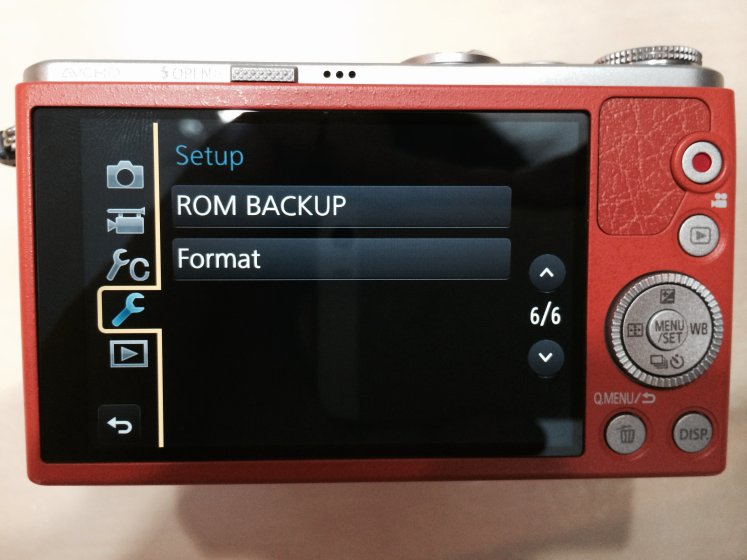
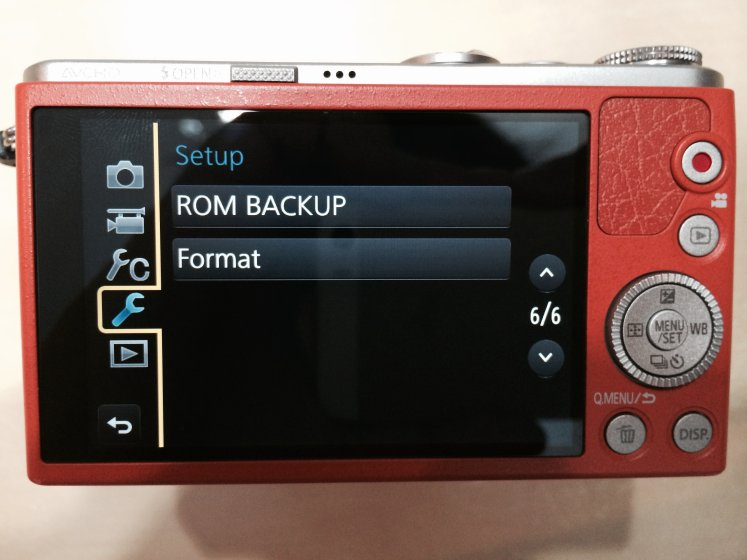
3. If you did #2 correctly, you should be able to see this “ROM BACKUP” item at the end of the Setup submenu, where normally it would just say “FORMAT.” If you can’t see this screen, then go back to Step 2.
If you don’t see ROM BACKUP, you didn’t do this correctly.
4. Now, hold down the Play button and then push the Left and Menu buttons at the same time. This might seem impossible to do with one hand, but if you set it on a table, you should be able to reach the Play button with one finger and then the Left and Menu button can be pressed together with your thumb. Now, you should see this screen.
This is apparently a list of error codes.
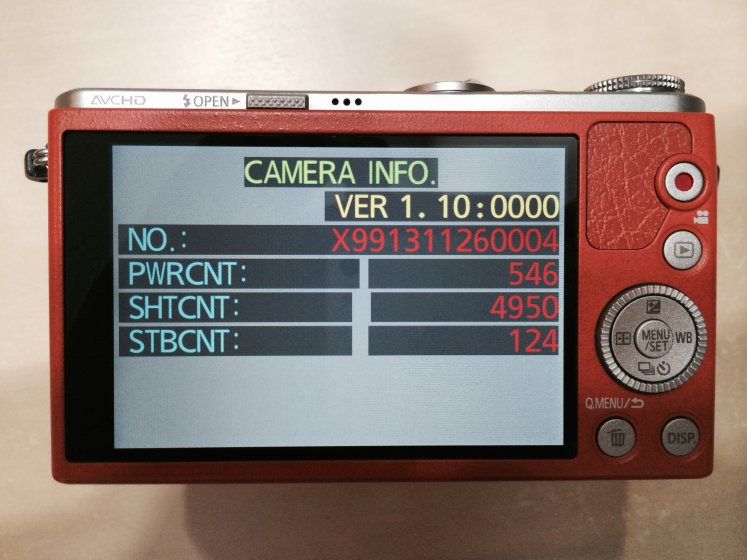
5. Repeat Step 4 (hold down the Play button and then push the Left and Menu buttons at the same time). At last, the shutter count!
6. Repeat Step 4 (hold down the Play button and then push the Left and Menu buttons at the same time). 操作后回到正常界面,此时可以安全关机。
In P mode turned power off while pressing Menu/Set and Right at the same time. Hitting Menu/Set and Right at the same time twice in a row reset it. When I turned it on it asked me to set the time and appears to be working.